

Horizontal swiper using HTML & CSS only

CapsCode: Empowering Innovation Through Education and Technology
CapsCode is a pioneering edtech and web development company committed to transforming the lives of students and businesses alike. Founded with the vision of creating a brighter, tech-driven future, CapsCode empowers students by providing world-class coding education while enabling businesses to achieve their goals with cutting-edge IT solutions.
For Students At CapsCode, we believe that coding is the language of tomorrow. Through engaging and industry-relevant courses, personalized mentoring, and hands-on workshops, we help students develop: Problem-solving skills: Preparing them for real-world challenges. Technical expertise: Equipping them with practical knowledge of coding and web development. Confidence in technology: Making them future-ready for careers in IT and beyond.
We foster an environment where students not only learn to code but also learn to innovate, collaborate, and think critically.
For Businesses CapsCode offers bespoke IT solutions tailored to the unique needs of businesses. From responsive web development to advanced digital marketing strategies, our services are designed to help companies grow their online presence and streamline their operations. Our key offerings include: Custom website and software development E-commerce platform creation Lead generation and digital marketing Professional email and Google Business setup
We act as partners in innovation, helping businesses leverage technology to reach new heights.
Our Mission Our mission is to empower individuals and organizations by bridging the gap between technology and accessibility. We aim to inspire a new generation of coders while helping businesses thrive in a competitive digital landscape.
Why Choose CapsCode? Over 9 years of IT industry expertise. A blend of education and professional IT services under one roof. A commitment to fostering growth, innovation, and success.
Join us in shaping the future—whether you're a student eager to unlock your potential or a business ready to embrace the possibilities of technology.
Learn. Build. Grow. With CapsCode.
Introduction
In the world of web development, creating interactive and engaging user interfaces often requires the use of JavaScript or external libraries. However, there are instances where a simple solution can be crafted using just HTML and CSS. In this article, we'll explore the process of building a horizontal swiper without relying on any JavaScript or external libraries.
Swipers or sliders are commonly used elements in web design to showcase content in a visually appealing way. While JavaScript-powered sliders are prevalent, the challenge lies in creating a slider using only HTML and CSS. Let's embark on this coding journey together.
What we are building
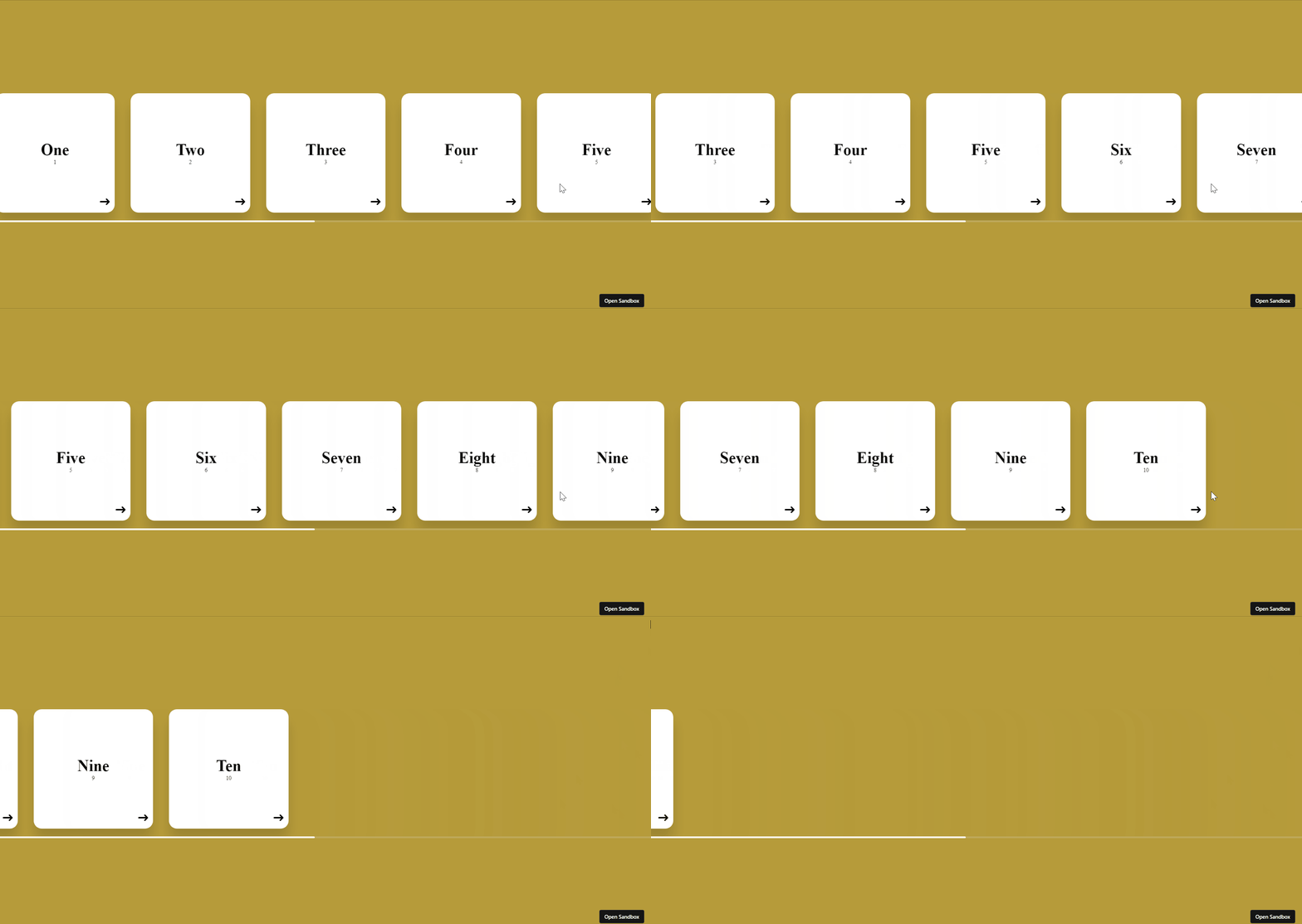
HTML Structure
To begin, we'll structure our HTML to create a container for the swiper and individual items to be swiped. Here's a basic example:
<!DOCTYPE html>
<html lang="en">
  <head>
    <meta charset="UTF-8" />
    <meta name="viewport" content="width=device-width, initial-scale=1.0" />
    <title>Horizontal scroll only using html css</title>
  </head>
  <body>
    <div class="container">
      <div class="slider-container">
        <div class="cards-holder">
          <div class="card">
            <div class="title">One</div>
            <div class="subtitle">1</div>
            <span>➜ </span>
          </div>

          <div class="card">
            <div class="title">Two</div>
            <div class="subtitle">2</div>
            <span>➜ </span>
          </div>

          <div class="card">
            <div class="title">Three</div>
            <div class="subtitle">3</div>
            <span>➜ </span>
          </div>

          <div class="card">
            <div class="title">Four</div>
            <div class="subtitle">4</div>
            <span>➜ </span>
          </div>

          <div class="card">
            <div class="title">Five</div>
            <div class="subtitle">5</div>
            <span>➜ </span>
          </div>

          <div class="card">
            <div class="title">Six</div>
            <div class="subtitle">6</div>
            <span>➜ </span>
          </div>

          <div class="card">
            <div class="title">Seven</div>
            <div class="subtitle">7</div>
            <span>➜ </span>
          </div>

          <div class="card">
            <div class="title">Eight</div>
            <div class="subtitle">8</div>
            <span>➜ </span>
          </div>

          <div class="card">
            <div class="title">Nine</div>
            <div class="subtitle">9</div>
            <span>➜ </span>
          </div>

          <div class="card">
            <div class="title">Ten</div>
            <div class="subtitle">10</div>
            <span>➜ </span>
          </div>
        </div>
      </div>
    </div>
  </body>
</html>
CSS Styling
Now, let's style our swiper using CSS. We'll use flexbox to achieve the horizontal swiper effect:
      body {
        width: 100%;
        height: 100vh;
        margin: 0;
        padding: 0;
        background: rgb(182, 155, 58);
      }
      .container {
        width: 100%;
        height: 100%;
        display: flex;
        align-items: center;
        justify-content: center;
      }
      .slider-container {
        width: 100%;
        height: fit-content;
        padding: 20px 0;
        overflow: auto;
      }
      .slider-container::-webkit-scrollbar {
        width: 80px;
        height: 5px;
      }
      .slider-container::-webkit-scrollbar-thumb {
        background: rgb(255, 255, 255);
        border-radius: 10px;
      }
      .slider-container::-webkit-scrollbar-track {
        background: rgba(224, 224, 224, 0.2);
      }

      .cards-holder {
        width: fit-content;
        display: flex;
        align-items: center;
        justify-content: center;
      }

      .card {
        width: 300px;
        height: 300px;
        background: white;
        box-shadow: 0 30px 30px rgba(0, 0, 0, 0.14);
        display: flex;
        align-items: center;
        justify-content: center;
        flex-direction: column;
        position: relative;
        margin: 0 20px;
        border-radius: 20px;
      }
      .title {
        font-size: 40px;
        font-weight: 600;
      }
      .subtitle {
        font-size: 14px;
      }
      .card span {
        position: absolute;
        bottom: 10px;
        right: 10px;
        font-size: 30px;
      }
Animation
If you want the cards to be moving then you can define a keyframe as below and add the animation effect in cards-holder or card class names.
.cards-holder {
    width: fit-content;
    display: flex;
    align-items: center;
    justify-content: center;
    animation: scroll 10s linear infinite;
    }

    .card {
        width: 300px;
        height: 300px;
        background: white;
        box-shadow: 0 30px 30px rgba(0, 0, 0, 0.14);
        display: flex;
        align-items: center;
        justify-content: center;
        flex-direction: column;
        position: relative;
        margin: 0 20px;
        border-radius: 20px;
        /* animation: scroll 10s linear infinite; */
        /* YOU CAN ADD HERE AS WELL BASED ON REQUIREMENT */
      }

@keyframes scroll {
        0% {
          transform: translateX(0);
        }
        100% {
          transform: translateX(-100%);
        }
      }
This CSS defines the basic structure of our swiper, including the container, wrapper, and individual items.
Conclusion
And there you have it! A simple horizontal swiper created using only HTML and CSS. This approach provides a lightweight solution for scenarios where JavaScript might be unnecessary or undesired.
Feel free to customize the styles, add more items, or enhance the functionality as per your project requirements. This pure HTML and CSS swiper is a testament to the versatility and power of these foundational web technologies. Happy web dev!


![Difference between __proto__, [[Prototype]] & .prototype in JavaScript](https://cdn.hashnode.com/res/hashnode/image/upload/v1748159626406/69c8f1f2-2e84-4bd4-8abb-dc14ace2464a.png)

